Hi @Martyn
The easiest way I can think of – to run this specific job – would be using an account at a public Galaxy server (and our clusters) with a data transfer FTP location. This connects to your local data storage to the public server’s workflows, tools and indexes.
The other choice is to install a Galaxy instance on your cluster, connected to the remote reference data indexes.
1. Your remote data storage, with our server, indexes and clusters
We call this type of remote data transfer space a data Repository.
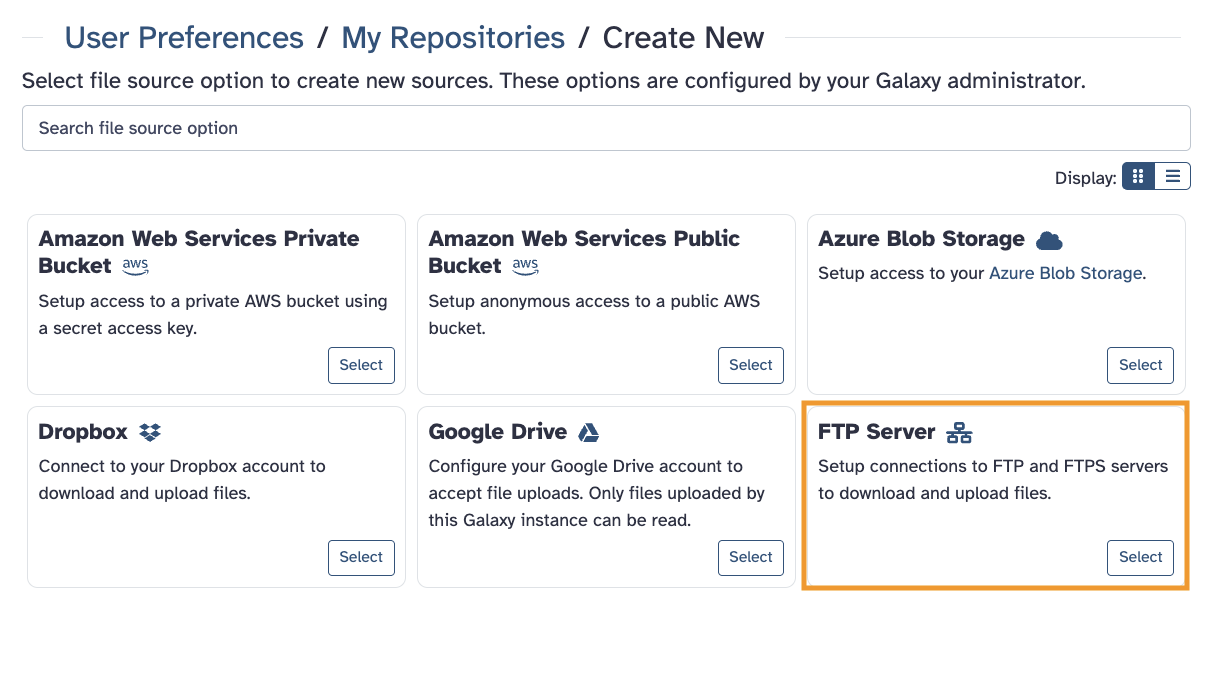
This is where to set it up within an account.

For Step 1 above, click on Create New on the first screen to reach this view.
Or, you can reach it within the Upload tool. This is where you can load data up from the resource into a history.


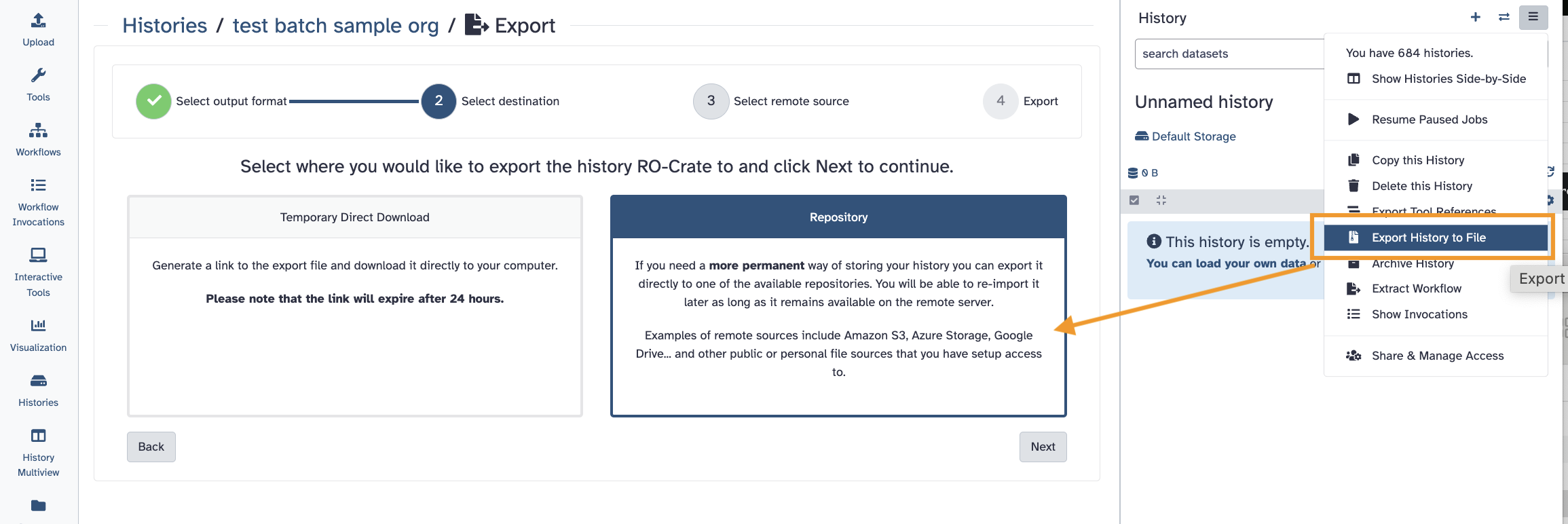
Then, once you are done, export your history back to your remote location in a compressed archive.
2. Or, local Docker Galaxy using your cluster, with our remote indexes
Another choice could be setting up a simplified local Galaxy server attached to the CVMFS resource. This would have jobs run on your cluster.
The Docker Galaxy choice would be quicker to configure and is for exactly use cases like yours – if you want to use your own cluster for the processing.
So, there are two primary choices if you want to use the Galaxy resources. Please give this a review and let us know what you think or if you have questions! 