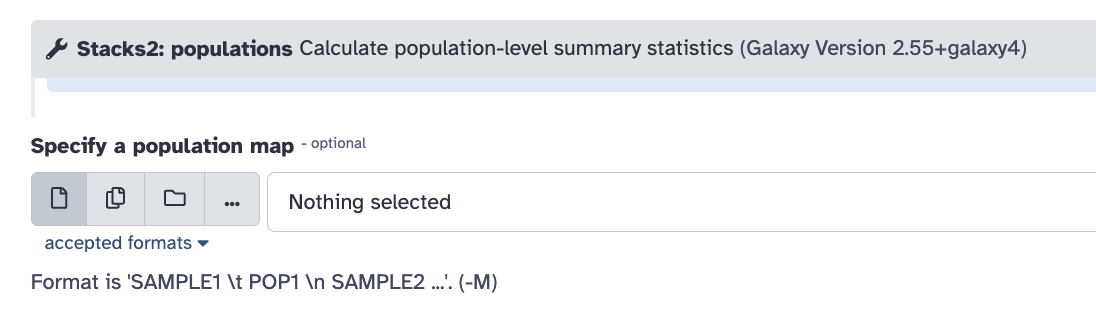
I’m following the RAD-seq tutorial and am having trouble with the “Stacks: Reference Map” section of the population file.
My main problem:
I don’t quite understand how the population assignment works for each sample in the Population_map.txt file. In the tutorial, I see that some samples have a value of “1” and others “2,” but I don’t understand:
How do I know which population to assign to each sample?
What criteria should be used for this assignment?
The error I’m getting:
When I try to run “Stacks: Reference Map” with my Population_map.txt file and the BAM data collection
Any guidance would be very helpful! Thanks in advance
From the example in the guide, you can see that the different populations (column 2) can be named in other ways. The important part is that the term is all oneWord1 with no spaces or special characters. Using numbers was just one easy way to do that in the tutorial (instead of all these words I’m using here ). Using the full scientific name would be the first impulse for scientists, but that would break one of the “rules”: no spaces allowed! And, a full name might contain dots or other characters, which are also not allowed. Computers like whole, plain, simple terms for important data values so very simple is better and numbers are very simple!
Then, the tool form has another example under one of the input areas for this kind of data. POP1, POP2,.. POPN
I can’t see the error you got but in general, how these will correspond to the mapped BAMs for the samples, the “sampleName” for the BAM files should match the first column of the file. Again, simple is better here. Notice in the tutorial example how an underscore was used to fill in what was likely a space originally. Underscores are the one special character that most tools can process in key relational terms.
Your BAM files are in a collection correct? If not yet, try putting them into a list collection.
From here you can check to see what the current sample labels are in your new collection. If these values do not match what is in your population file yet, you can manipulate the sample label values (“element identifiers”) in a mapping file and replace them. Next time, you can set up your sample labels with the original collection of reads, then process through the downstream QA and mapping steps, and the data will keep those sample labels throughout.
Update the label → Collection Operations → Relabel identifiers
Please give that a try and let us know if you need more help. Seeing the actual error helps to offer more specific help. This is how to share your work for feedback. → How to get faster help with your question
 ). Using the full scientific name would be the first impulse for scientists, but that would break one of the “rules”: no spaces allowed! And, a full name might contain dots or other characters, which are also not allowed. Computers like whole, plain, simple terms for important data values so very simple is better and numbers are very simple!