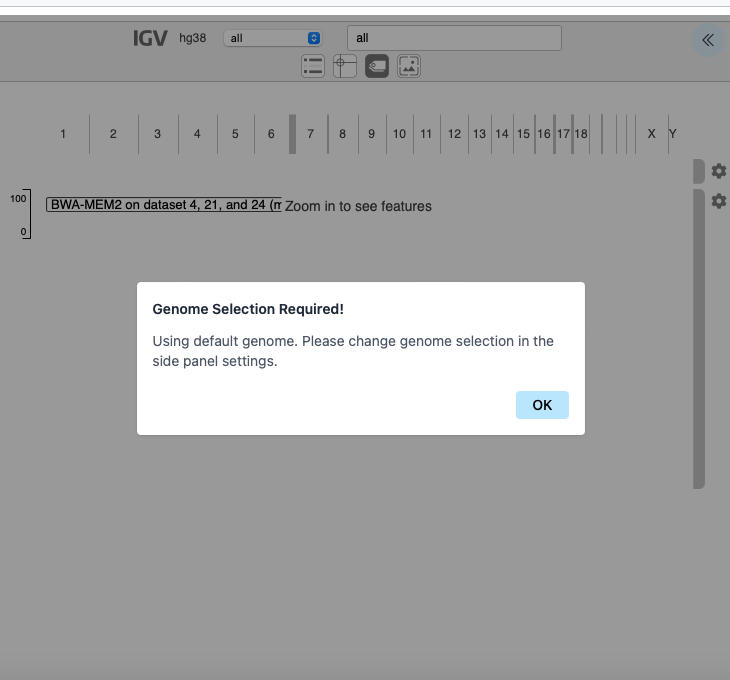
Firstly in order to get this to work I had to rename both fastqsanger files to exactly the same name, either R1/R2 or 1/2 or F/R did not work, after that it seems to work but I have other problems if someone can read the screen shots and tell me if it is OK
Thanks for sharing all of these details! You are very close to getting this display set up! Glad you The next steps will be 1) creating a fasta index key for your custom genome 2) assigning the key to your dataset(s), and 3) configuring IGV to use your genome (what the pop-up in your second screenshot is promoting for).
Database metadata
You will be able to connect the fasta index for the custom genome to the output datasets. This is what allows display applications to host the coordinate data (example: mapping hits) against a reference “omic” backbone (nucleotides or amino acids).
The metadata key used for this in Galaxy is the database assignment.
Native database
When using a native index hosted on the server, the assignment is automatic, and display application may already be configured for the same genome – allowing links from dataset results to an application to function by default.
Custom database (aka dbkey or build)
When using a custom genome, all of this can also be set up!